> ## Documentation Index
> Fetch the complete documentation index at: https://qovery-docs-rde-install-script.mintlify.site/llms.txt
> Use this file to discover all available pages before exploring further.
# How to Setup Rate Limit on Services
> Configure rate limiting for services using NGINX
This guide covers implementing rate limits on Qovery services through NGINX customization. Rate limiting helps protect services from abuse. While third-party solutions like Cloudflare are recommended for filtering traffic before it reaches workloads, this tutorial demonstrates cluster-level implementation.
Changing NGINX snippets configuration is an advanced feature and can lead to misconfiguration. Please be careful when changing these settings as it might break the whole NGINX configuration.
## Prerequisites
* Application running on a Qovery managed cluster
* Basic understanding of NGINX rate limiting
## Understanding NGINX Rate Limiting
NGINX rate limiting protects your services by controlling the rate of requests. For detailed information, see [NGINX's official documentation on rate limiting](https://www.nginx.com/blog/rate-limiting-nginx/).
***
## Initial Setup
### Configure Test Service
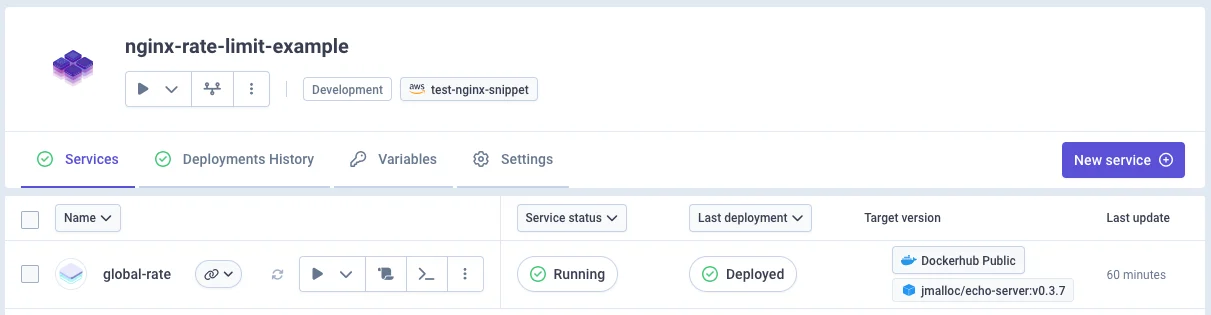
We'll use `jmalloc/echo-server` Docker image for testing:
* Image: `jmalloc/echo-server`
* Port: 80
 ### Configure NGINX Replicas
Rate limits apply per NGINX instance. For demonstration, set replicas to 1 (not recommended for production):
1. Go to **Cluster Settings** → **Advanced Settings**
2. Find `nginx.controller.replicas`
3. Set value to `1`
### Configure NGINX Replicas
Rate limits apply per NGINX instance. For demonstration, set replicas to 1 (not recommended for production):
1. Go to **Cluster Settings** → **Advanced Settings**
2. Find `nginx.controller.replicas`
3. Set value to `1`
 Without rate limits: 100 req/sec × 500 requests = 100% success rate (all HTTP 200 responses)
***
## Global Rate Limit Implementation
### Declare at Cluster Level
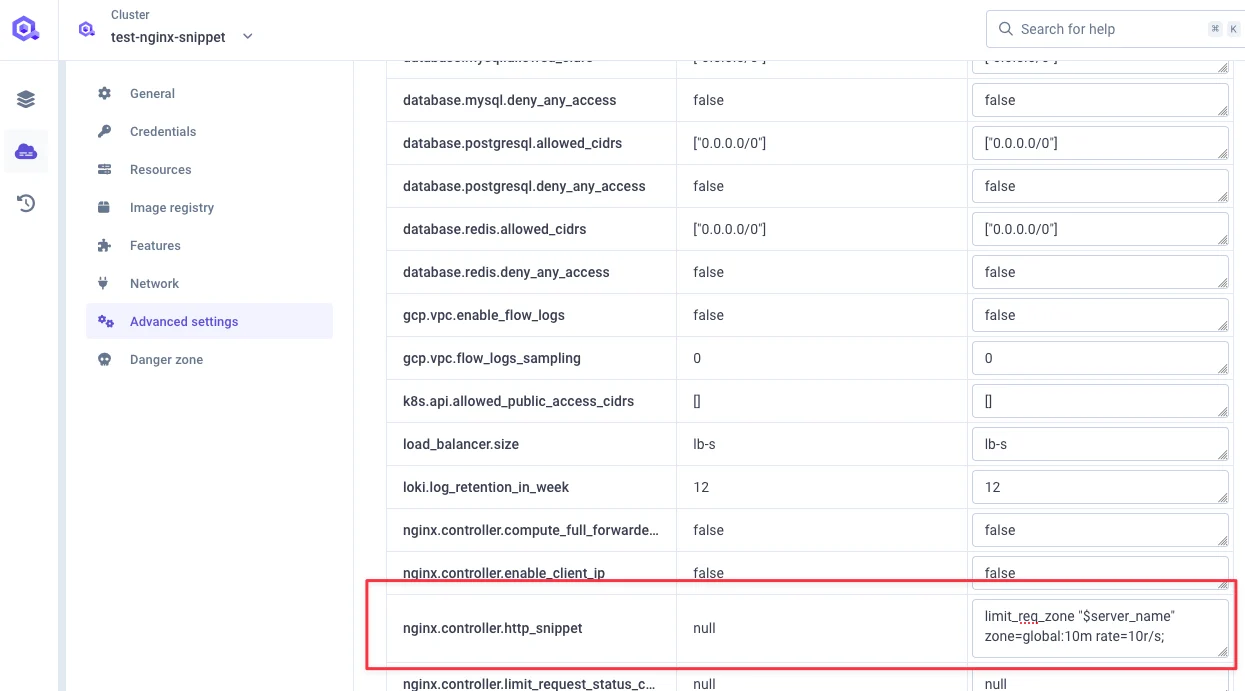
Configure `nginx.controller.http_snippet`:
```nginx theme={null}
limit_req_zone "$server_name" zone=global:10m rate=10r/s;
```
**Components:**
* `$server_name`: Rate limit key (can use `$http_x_forwarded_for` for IP-based limits)
* `zone=global:10m`: Zone name with 10MB memory allocation
* `rate=10r/s`: 10 requests per second threshold
Without rate limits: 100 req/sec × 500 requests = 100% success rate (all HTTP 200 responses)
***
## Global Rate Limit Implementation
### Declare at Cluster Level
Configure `nginx.controller.http_snippet`:
```nginx theme={null}
limit_req_zone "$server_name" zone=global:10m rate=10r/s;
```
**Components:**
* `$server_name`: Rate limit key (can use `$http_x_forwarded_for` for IP-based limits)
* `zone=global:10m`: Zone name with 10MB memory allocation
* `rate=10r/s`: 10 requests per second threshold
 ### Apply Rate Limit
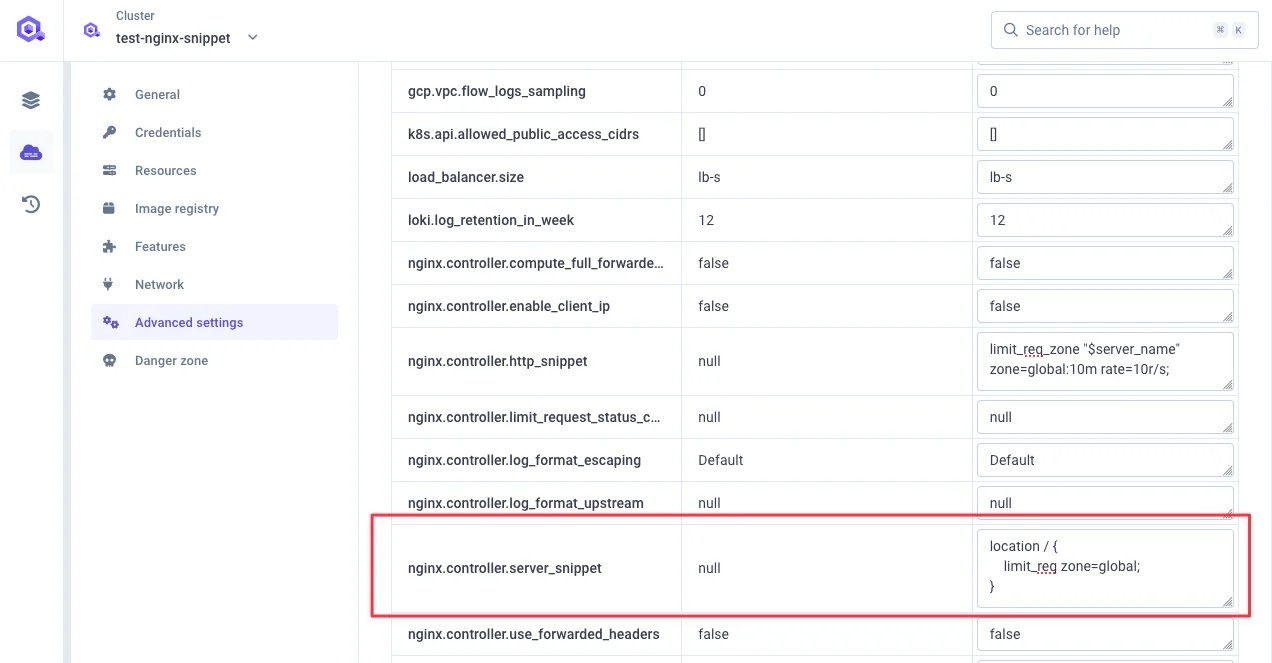
Configure `nginx.controller.server_snippet`:
```nginx theme={null}
location / {
limit_req zone=global;
}
```
### Apply Rate Limit
Configure `nginx.controller.server_snippet`:
```nginx theme={null}
location / {
limit_req zone=global;
}
```
 ### Deploy Changes
 ### Enhancement with Burst
Adding `burst=20 nodelay;` permits 20-request bursts without delays:
```nginx theme={null}
location / {
limit_req zone=global burst=20 nodelay;
}
```
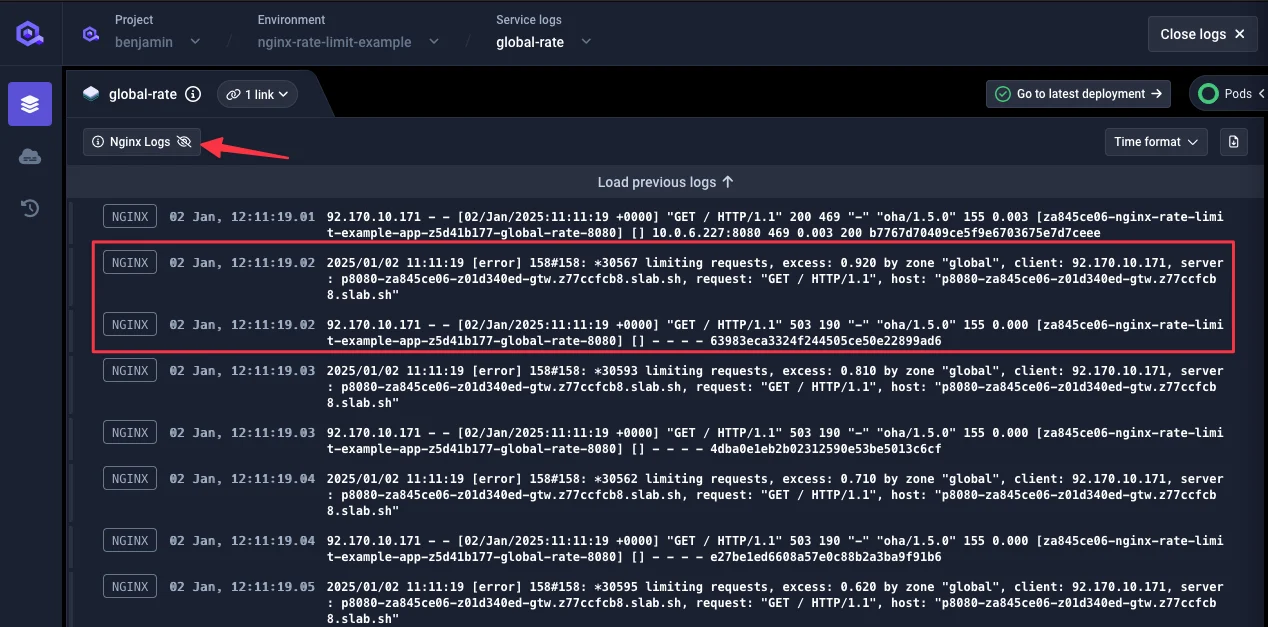
### Test Results
Load test: 100 req/sec for 500 total requests
**Result:**
* 452 HTTP 503 rejections
* 48 HTTP 200 acceptances (\~9.6 req/sec)
### Enhancement with Burst
Adding `burst=20 nodelay;` permits 20-request bursts without delays:
```nginx theme={null}
location / {
limit_req zone=global burst=20 nodelay;
}
```
### Test Results
Load test: 100 req/sec for 500 total requests
**Result:**
* 452 HTTP 503 rejections
* 48 HTTP 200 acceptances (\~9.6 req/sec)
 ***
## Service-Level Rate Limit
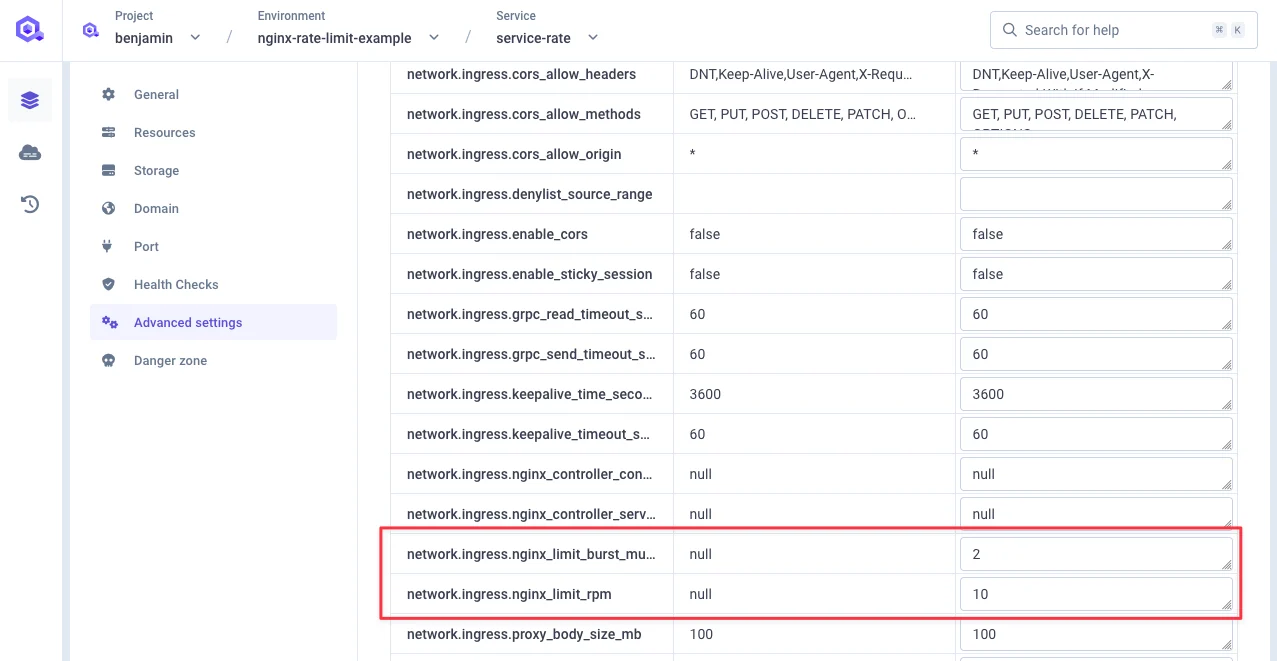
Configure rate limiting at the service level using advanced settings:
**Configuration Settings:**
* `network.ingress.nginx_limit_rps`: Rate in requests/second
* `network.ingress.nginx_limit_rpm`: Rate in requests/minute
* `network.ingress.nginx_limit_burst_multiplier`: Burst multiplier (default: 5)
### Example: 10 Requests/Minute with 2× Burst
***
## Service-Level Rate Limit
Configure rate limiting at the service level using advanced settings:
**Configuration Settings:**
* `network.ingress.nginx_limit_rps`: Rate in requests/second
* `network.ingress.nginx_limit_rpm`: Rate in requests/minute
* `network.ingress.nginx_limit_burst_multiplier`: Burst multiplier (default: 5)
### Example: 10 Requests/Minute with 2× Burst
 When both RPM and RPS are set, both rate limits will be enforced simultaneously. Traffic will be restricted based on whichever limit is hit first.
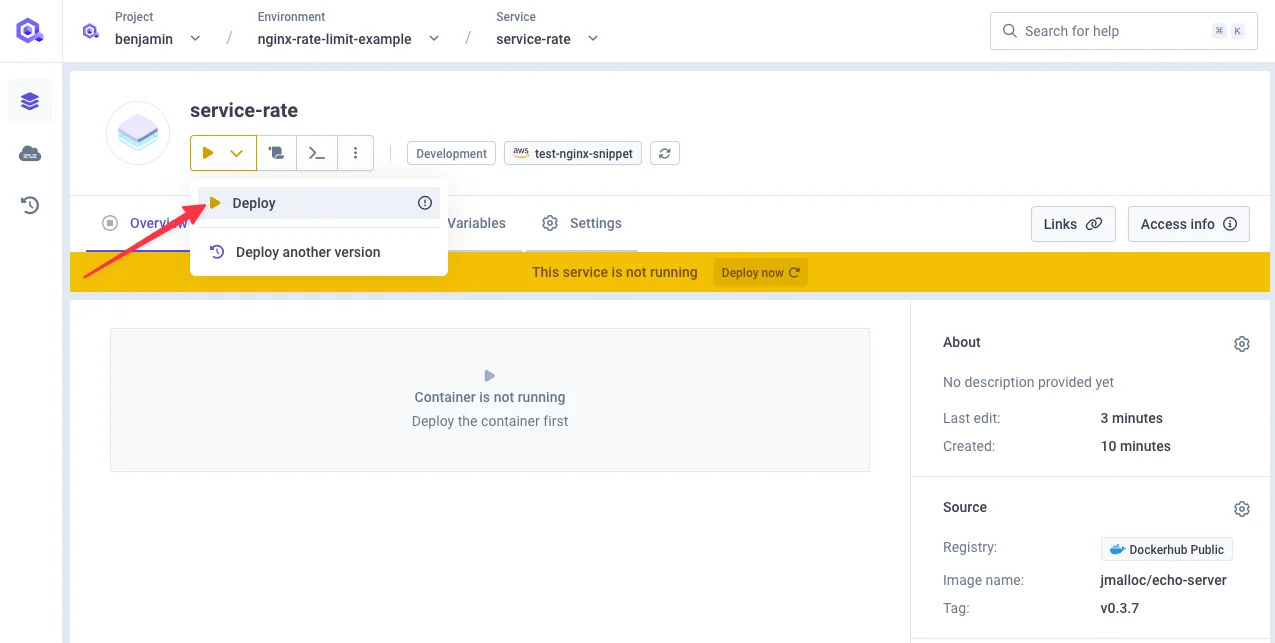
### Deploy Service
When both RPM and RPS are set, both rate limits will be enforced simultaneously. Traffic will be restricted based on whichever limit is hit first.
### Deploy Service
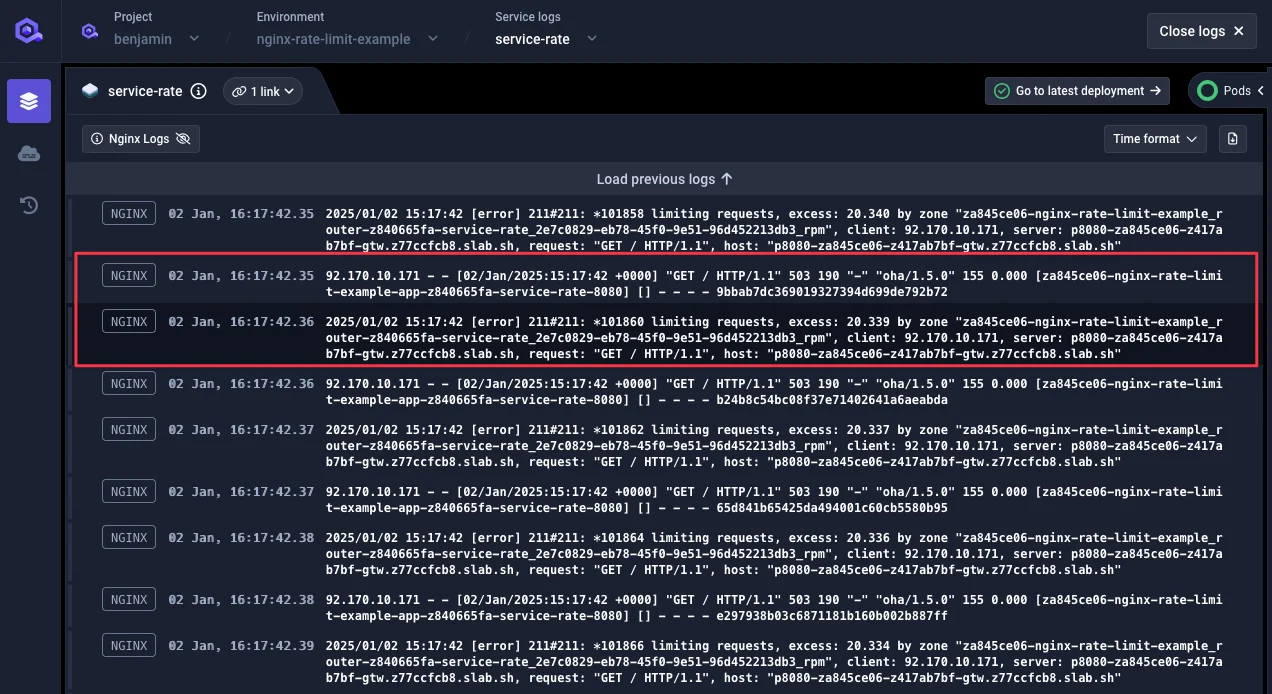
 ### Test Results
* 479 HTTP 503 rejections
* 21 HTTP 200 acceptances
### Test Results
* 479 HTTP 503 rejections
* 21 HTTP 200 acceptances
 ***
## Custom Header-Based Rate Limiting
Implement rate limiting based on custom HTTP headers.
### Cluster Configuration
Configure `nginx.controller.http_snippet`:
```nginx theme={null}
map $http_x_qovery_api_key $limit_key {
default $http_x_qovery_api_key;
"" "anonymous";
}
limit_req_zone $limit_key zone=qovery_api_limit:10m rate=5r/s;
```
***
## Custom Header-Based Rate Limiting
Implement rate limiting based on custom HTTP headers.
### Cluster Configuration
Configure `nginx.controller.http_snippet`:
```nginx theme={null}
map $http_x_qovery_api_key $limit_key {
default $http_x_qovery_api_key;
"" "anonymous";
}
limit_req_zone $limit_key zone=qovery_api_limit:10m rate=5r/s;
```
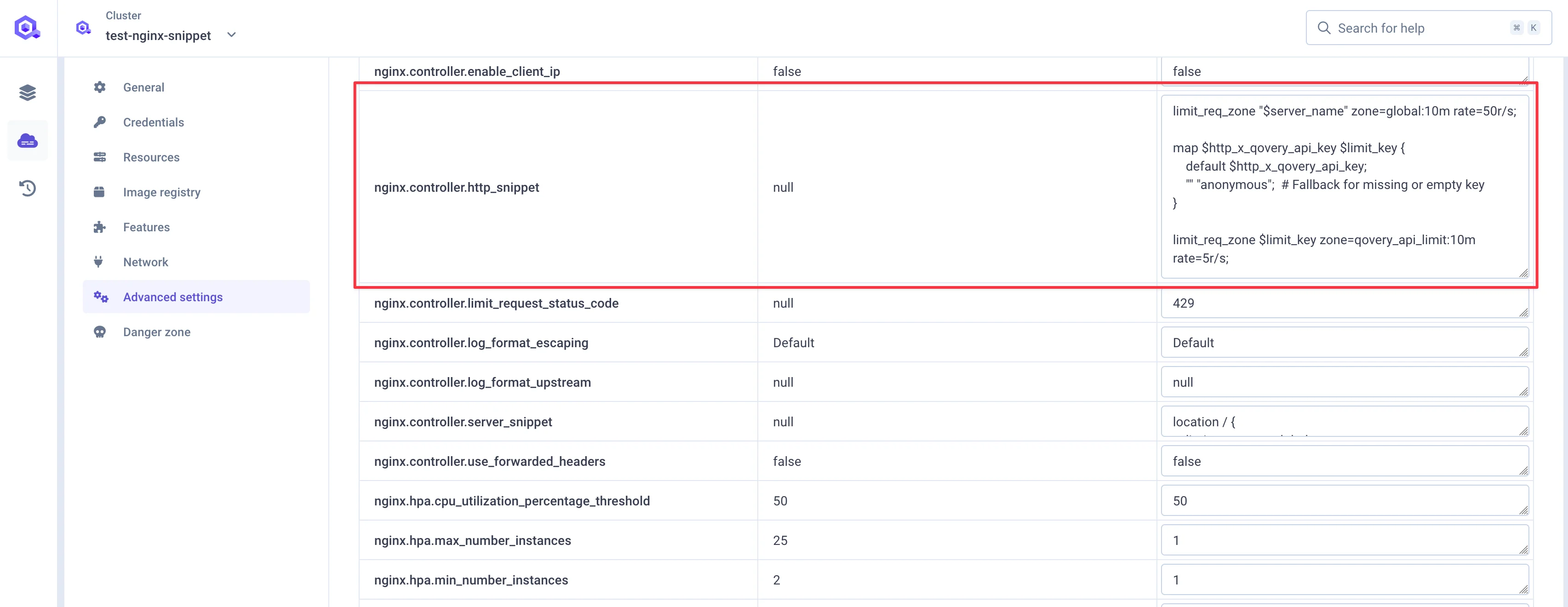 **Details:** Maps HTTP header values to rate limit keys; missing headers default to "anonymous" designation.
### Service Configuration
Configure `network.ingress.nginx_controller_configuration_snippet`:
```nginx theme={null}
limit_req zone=qovery_api_limit burst=2 nodelay;
```
**Details:** Maps HTTP header values to rate limit keys; missing headers default to "anonymous" designation.
### Service Configuration
Configure `network.ingress.nginx_controller_configuration_snippet`:
```nginx theme={null}
limit_req zone=qovery_api_limit burst=2 nodelay;
```
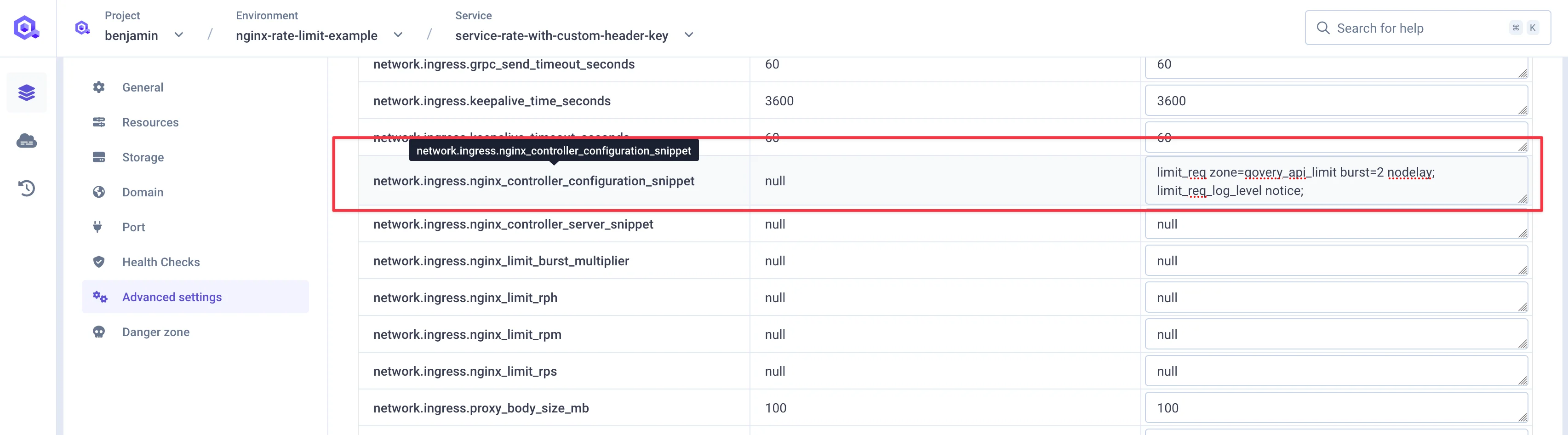 **Burst Parameter Explanation:**
* `burst=2`: Permits 2 extra requests beyond rate limit during short bursts
* `nodelay`: Disables request queuing; excess requests rejected immediately
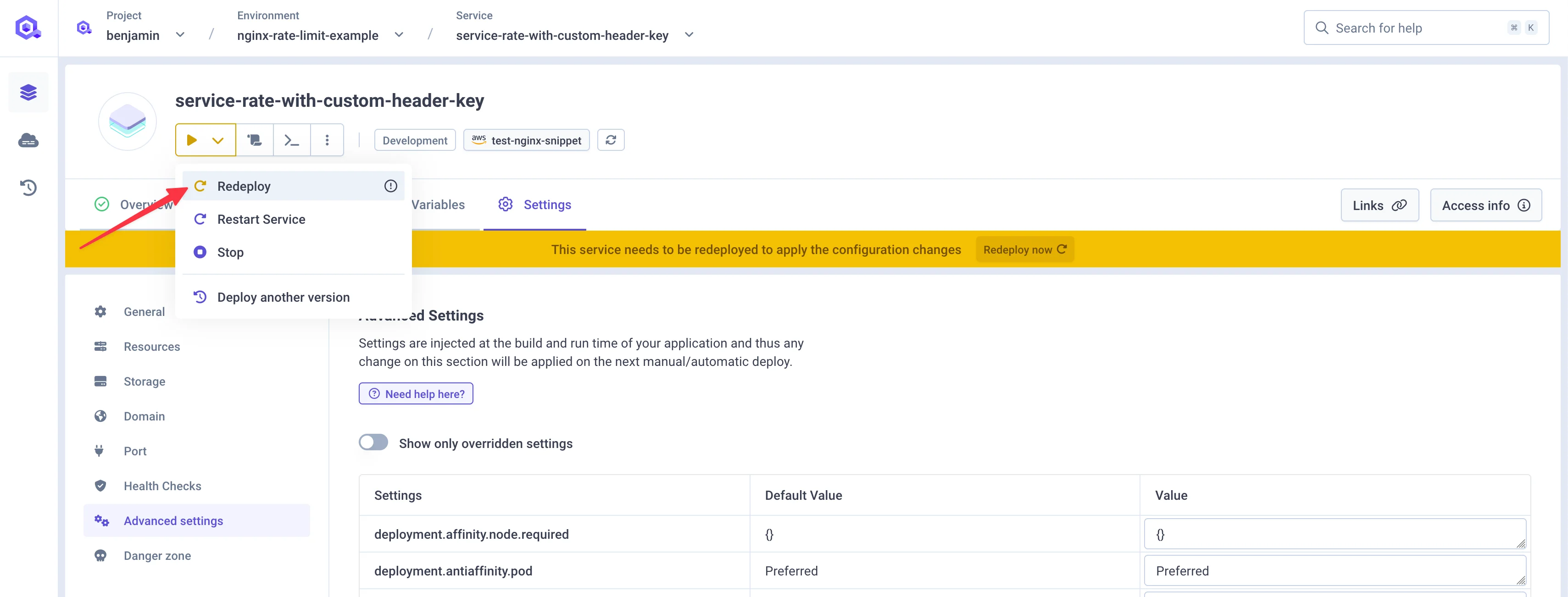
### Deploy and Test
**Burst Parameter Explanation:**
* `burst=2`: Permits 2 extra requests beyond rate limit during short bursts
* `nodelay`: Disables request queuing; excess requests rejected immediately
### Deploy and Test
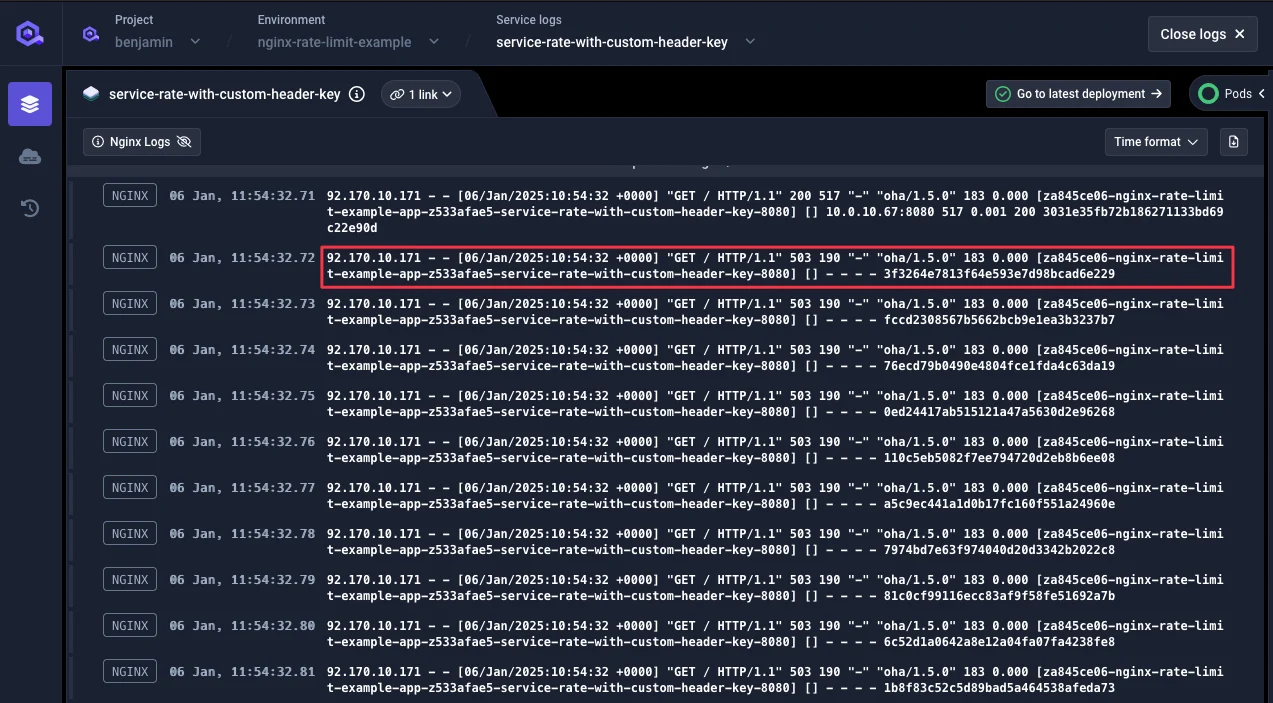
 **Test Command:**
```bash theme={null}
oha -q 100 -n 500 -H "X-QOVERY-API-KEY: benjamin"
```
**Result:**
* 473 HTTP 503 rejections
* 27 HTTP 200 acceptances (\~5.4 req/sec with burst)
**Test Command:**
```bash theme={null}
oha -q 100 -n 500 -H "X-QOVERY-API-KEY: benjamin"
```
**Result:**
* 473 HTTP 503 rejections
* 27 HTTP 200 acceptances (\~5.4 req/sec with burst)
 ***
## Additional Configuration
### Custom HTTP Status Code
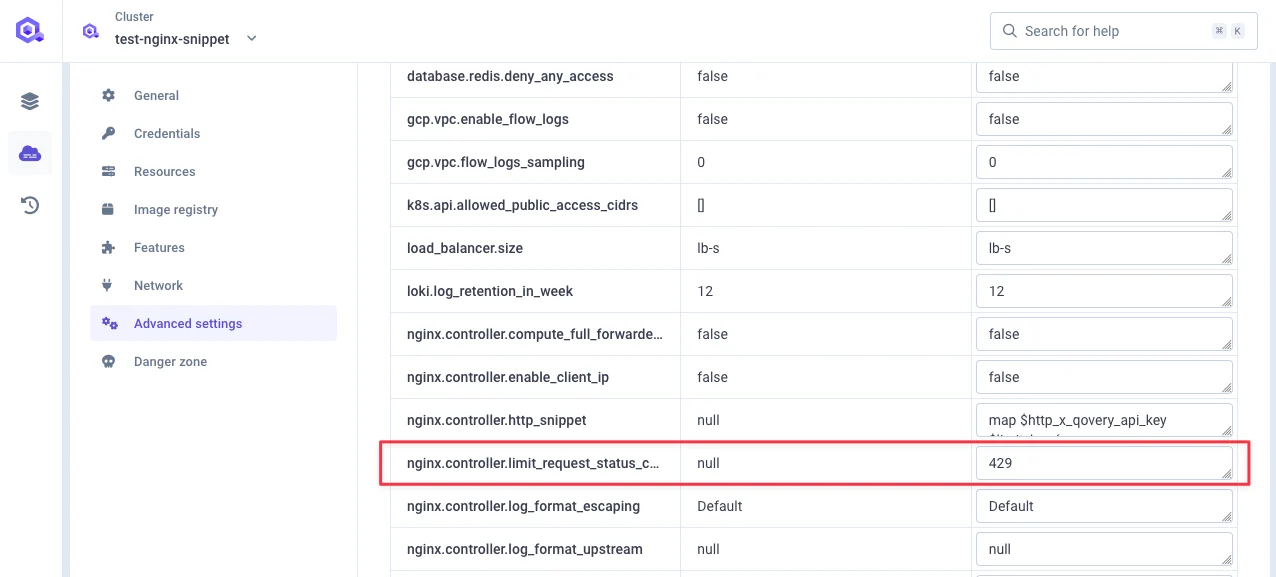
Configure `nginx.controller.limit_request_status_code`:
* Default: HTTP 503
* Alternative: HTTP 429 (commonly used for rate limiting)
***
## Additional Configuration
### Custom HTTP Status Code
Configure `nginx.controller.limit_request_status_code`:
* Default: HTTP 503
* Alternative: HTTP 429 (commonly used for rate limiting)
 Test results show HTTP 429 responses:
 ### Connection Limits
Configure `network.ingress.nginx_limit_connections` at service level to limit concurrent connections from single IP addresses.
***
## Summary
Applied at cluster level, affects all services. Best for protecting the entire cluster from abuse.
Applied per service using `nginx_limit_rps` or `nginx_limit_rpm`. Best for protecting individual services.
Applied based on custom HTTP headers. Best for API key-based rate limiting and multi-tenant applications.
Limits concurrent connections per IP. Best for preventing connection exhaustion attacks.
***
## Related Documentation
Configure service advanced settings
Learn about NGINX ingress
Configure cluster settings
Implement security measures
### Connection Limits
Configure `network.ingress.nginx_limit_connections` at service level to limit concurrent connections from single IP addresses.
***
## Summary
Applied at cluster level, affects all services. Best for protecting the entire cluster from abuse.
Applied per service using `nginx_limit_rps` or `nginx_limit_rpm`. Best for protecting individual services.
Applied based on custom HTTP headers. Best for API key-based rate limiting and multi-tenant applications.
Limits concurrent connections per IP. Best for preventing connection exhaustion attacks.
***
## Related Documentation
Configure service advanced settings
Learn about NGINX ingress
Configure cluster settings
Implement security measures